
The Recruiting Operating System
Let your coaches coach.
We’ll handle the execution.
Build, personalize and execute recruiting campaigns across X, email and iMessage — with Sideline AI content, social intelligence, prospect engagement and game-day automation connected in one operating system.
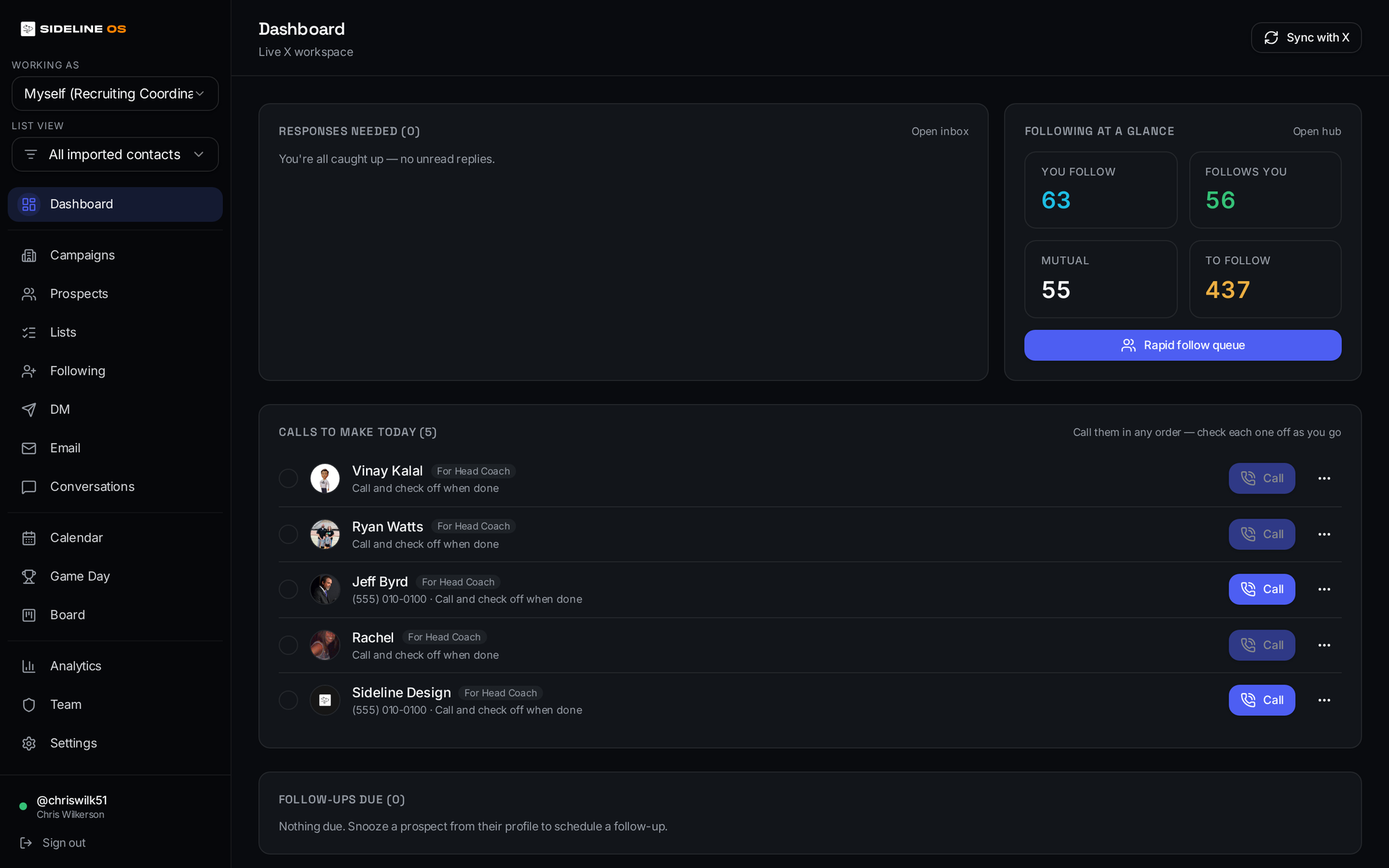
- X
- ·iMessage
- ·Sideline AI
- ·Analytics
- ·Game Day
The core idea
Relationships win recruiting.
Repetition shouldn’t steal time.
Recruiting staffs should not spend their day manually rebuilding the same messages, chasing follow-backs, preparing routine graphics, or wondering whether a prospect engaged. Sideline OS turns the department’s recruiting strategy into an operating system the staff can execute consistently.
Your staff builds the strategy
Campaigns, messaging, priorities and recruiting philosophy.
Sideline OS executes the repeatable work
Content, scheduled touchpoints, social workflows, game-day messages and engagement tracking.
Coaches step in where relationships matter
Calls, evaluation, visits, conversations and personal recruiting.
Multi-channel campaigns
One recruiting plan. Every channel.
Build a campaign once and coordinate the recruiting touchpoints around it — X, email, iMessage, content and staff actions — without forcing coaches to manage every step manually.
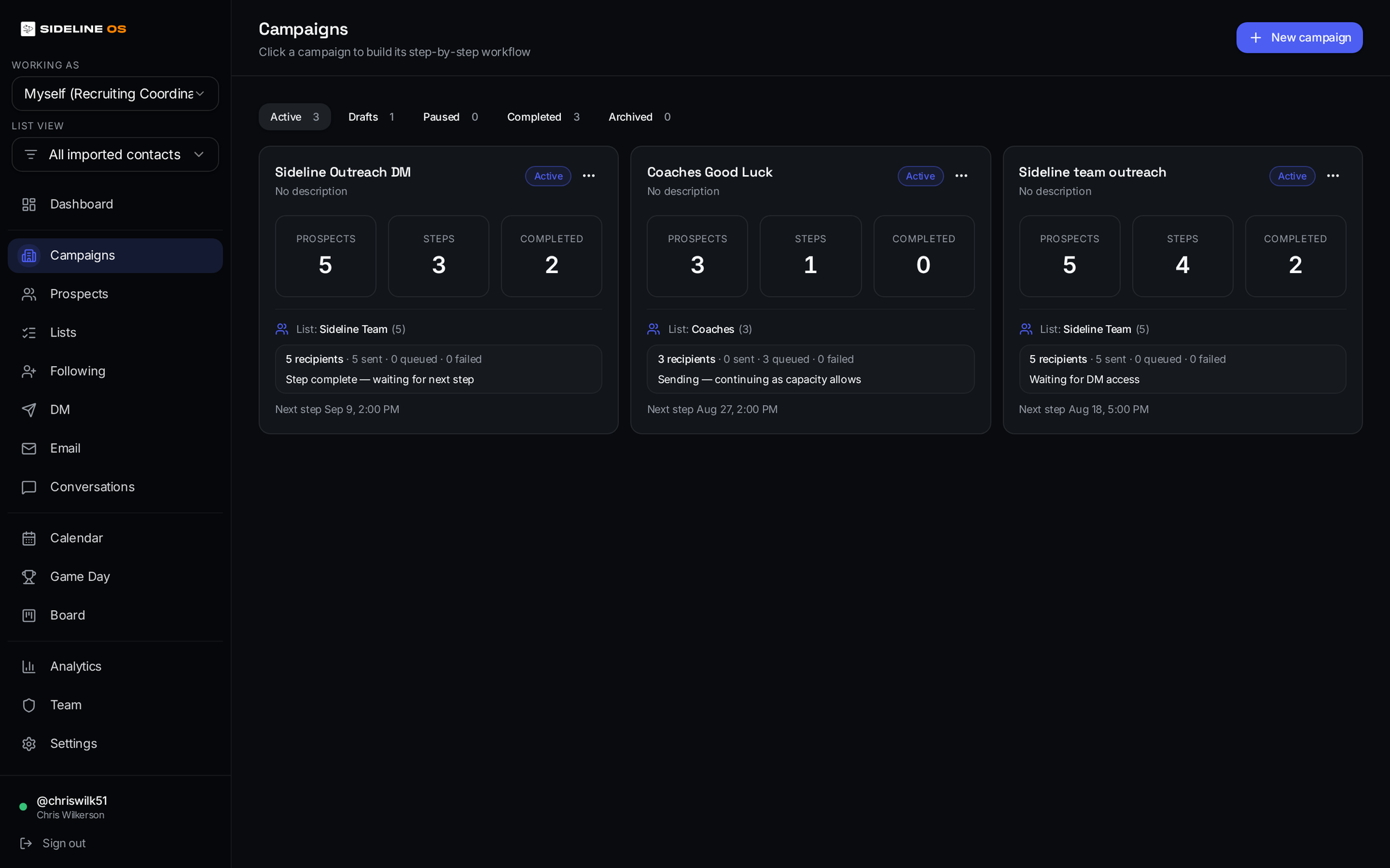
A sample recruiting sequence
- Day 1X touch
- Day 5Email
- Game WeekPersonalized good-luck message + graphic
- Day 21Coach follow-up
- Visit WeekVisit information
What a campaign controls
- X outreach and DMs
- iMessage messaging workflows
- Delays and scheduled steps
- Personalized variables
- Assigned coach identity
- Admin-controlled execution
- Campaign history
Sideline AI integration
The message and the content move together.
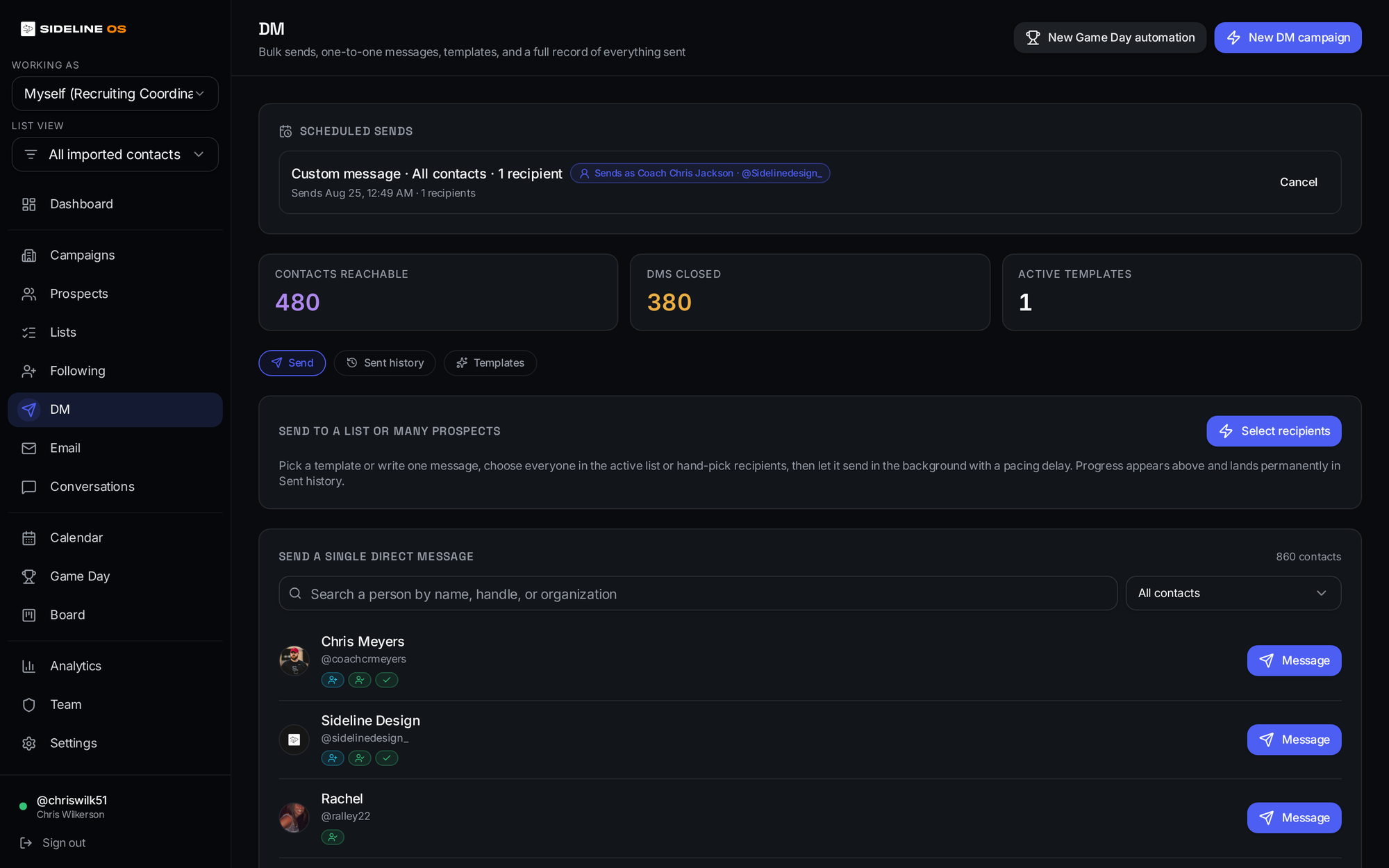
Sideline OS connects recruiting execution with Sideline AI so a campaign can use personalized, on-brand creative without turning every touchpoint into another request for the creative staff.
Explore Sideline AI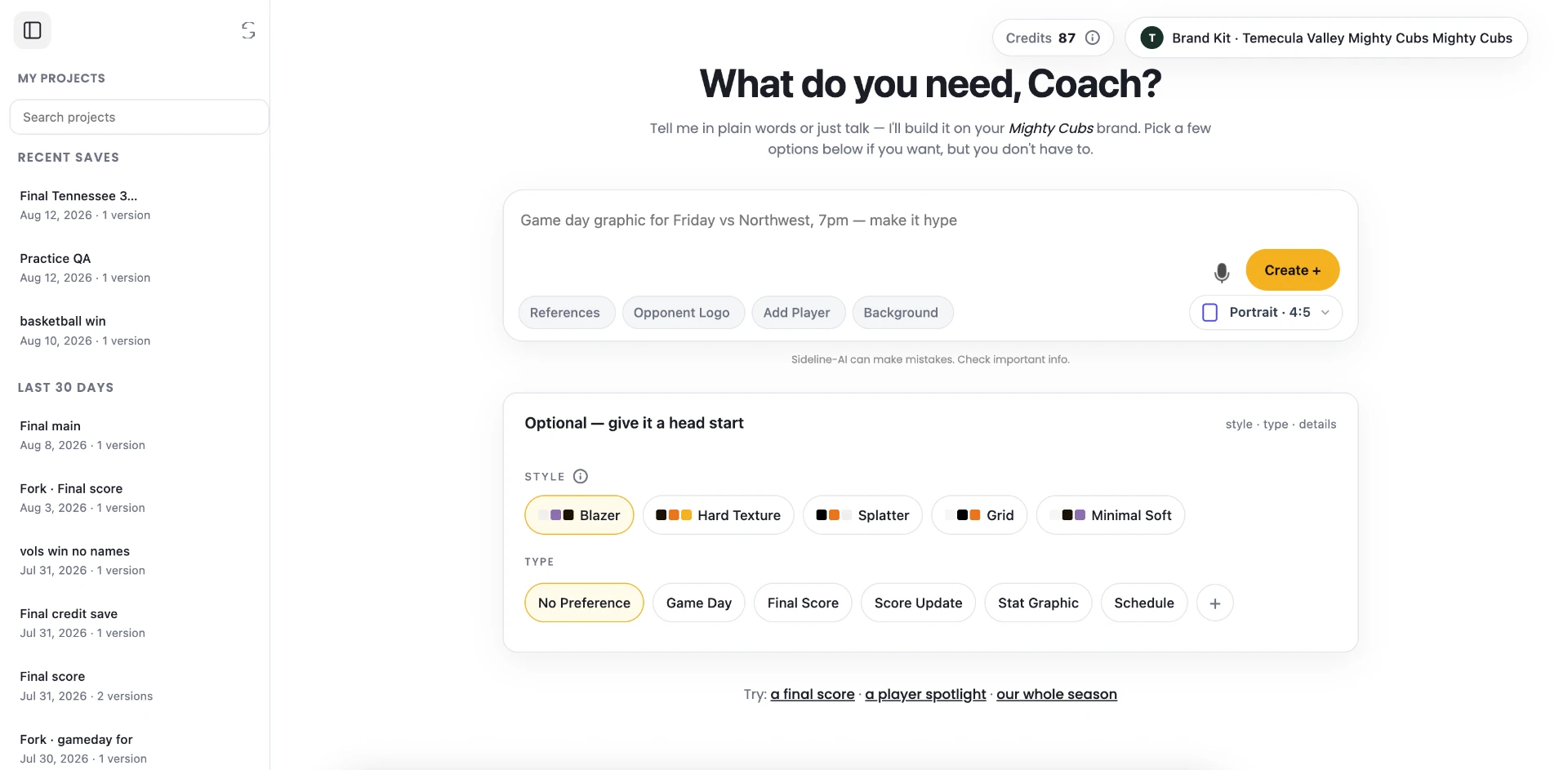
Prospect data + campaign context
Name, position, program, game week and the step the recruit is on.
Sideline AI graphic
On-brand creative built to the program's standards, individual to the recruit.
Personalized message
The graphic ships attached to the touchpoint the campaign already scheduled.
- Personalized recruiting graphics
- Good-luck graphics
- Visit graphics
- Birthday content
- Event and game-day content
- Program-approved branding
X intelligence
See the movement before it becomes obvious.
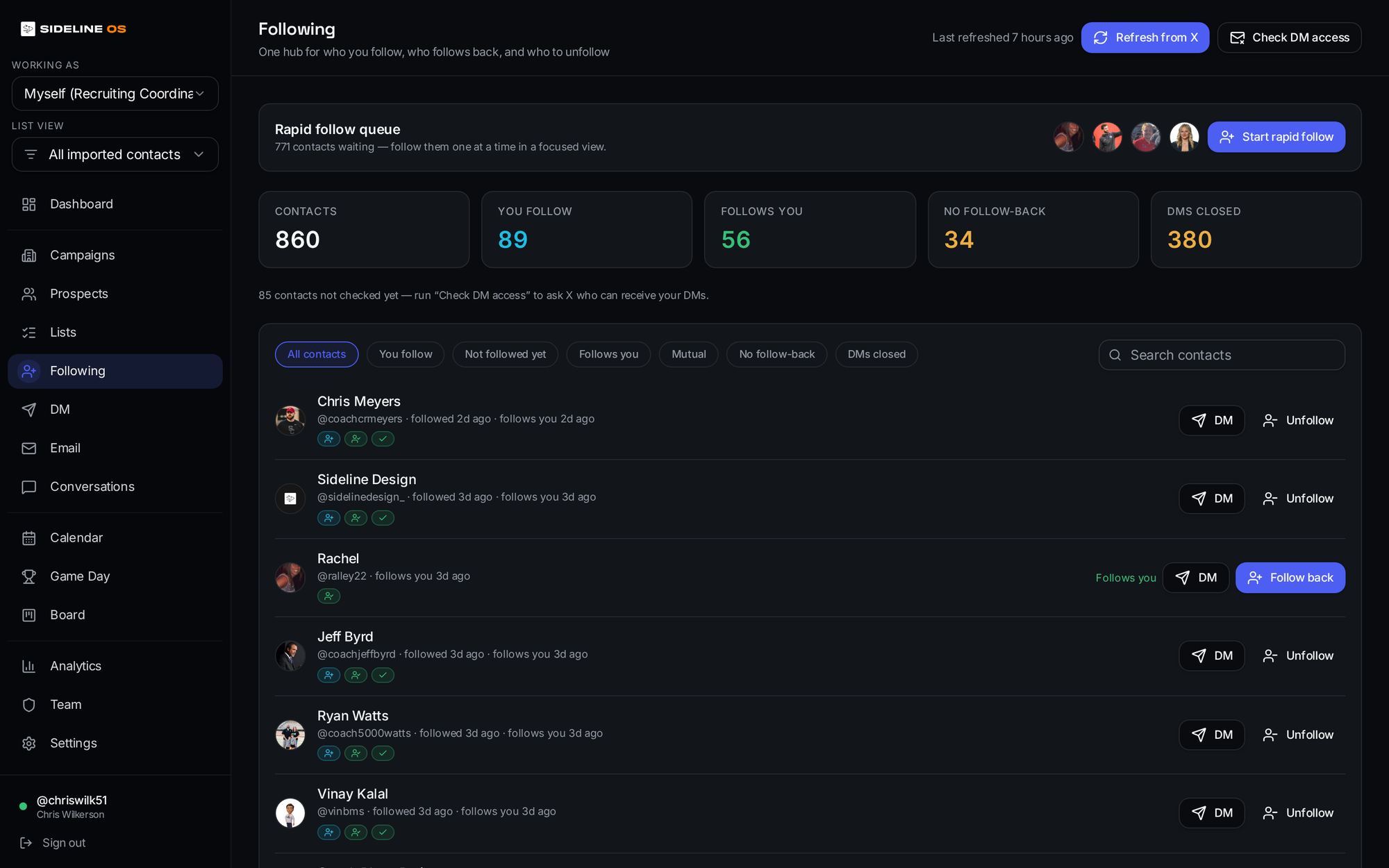
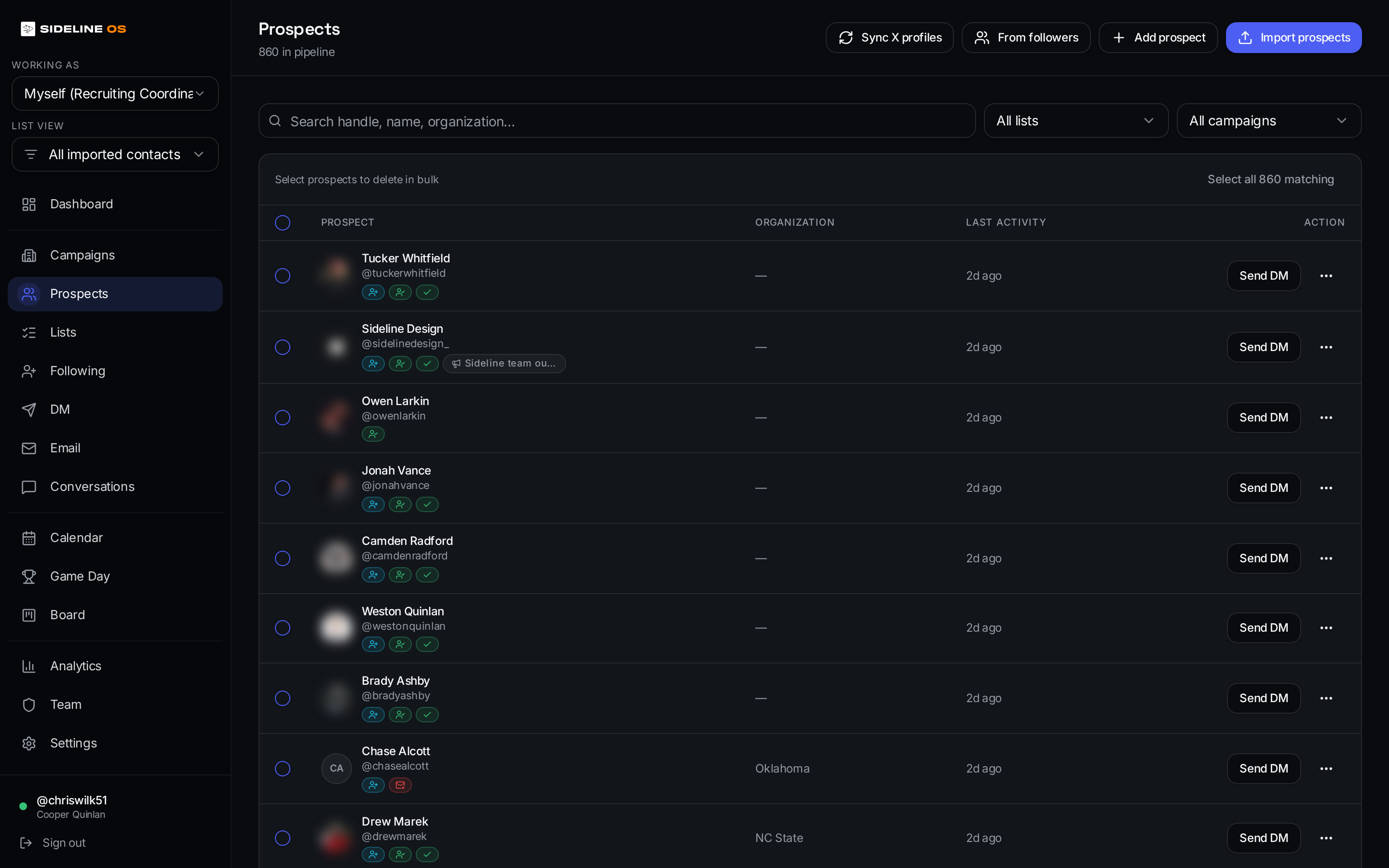
Follow status is no longer buried inside X. Sideline OS brings the social recruiting layer into the same system as your prospects and campaigns — and Scouting Radar can surface new recruiting movement based on who other accounts begin following.
Following. Follow-backs. New movement. One recruiting view.
- Manage who your connected X accounts follow
- Detect who follows back
- See mutual and no-follow-back relationships
- Watch another X account's following list
- Flag new follows matching recruiting keywords
- Add matching accounts directly into prospects
Game day automation
Every game. Every recruit. Still personal.
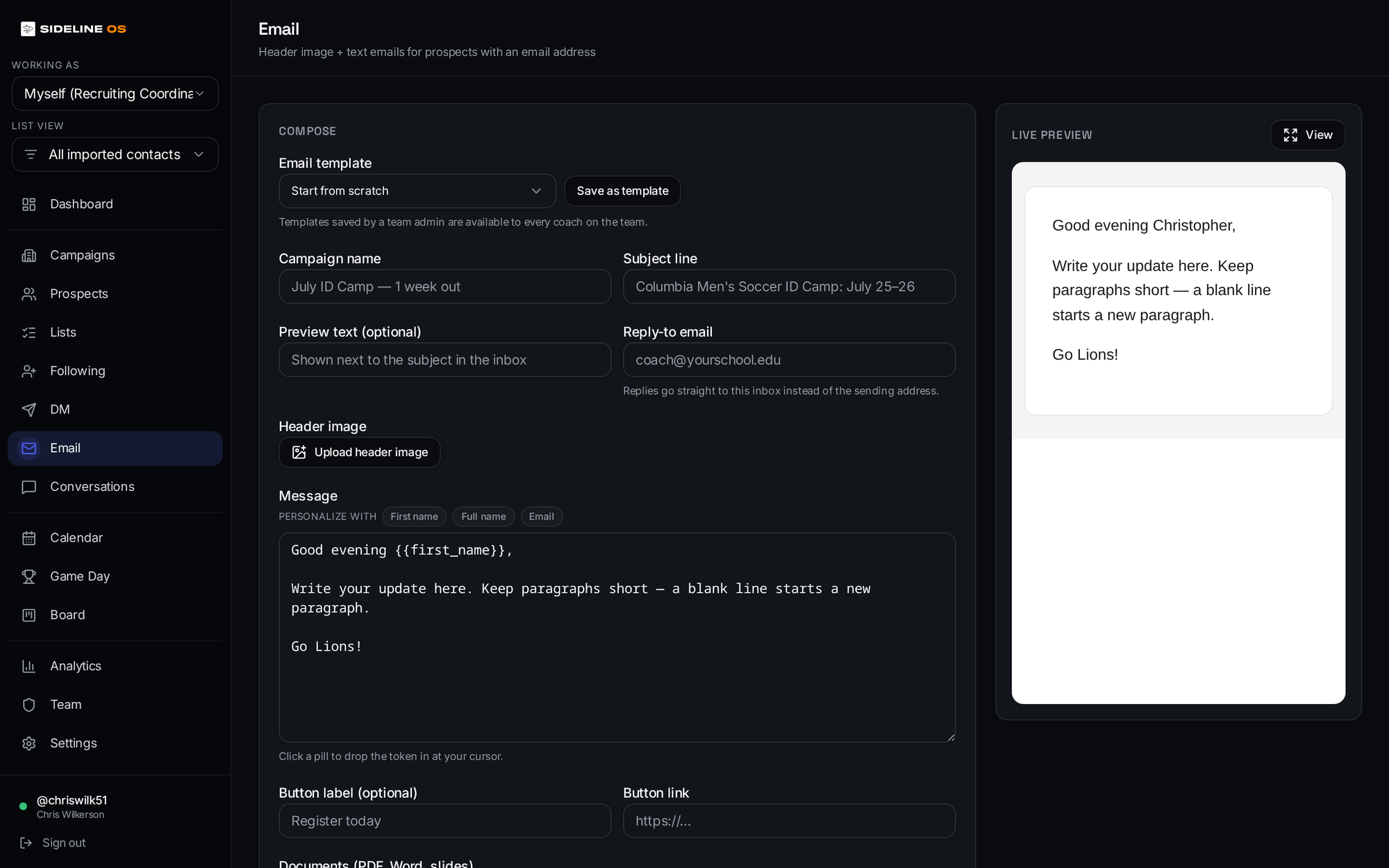
A recruiting department can load a season of prospect schedules, attach or generate personalized graphics, and make game-week good-luck touches part of the campaign instead of a weekly manual scramble.
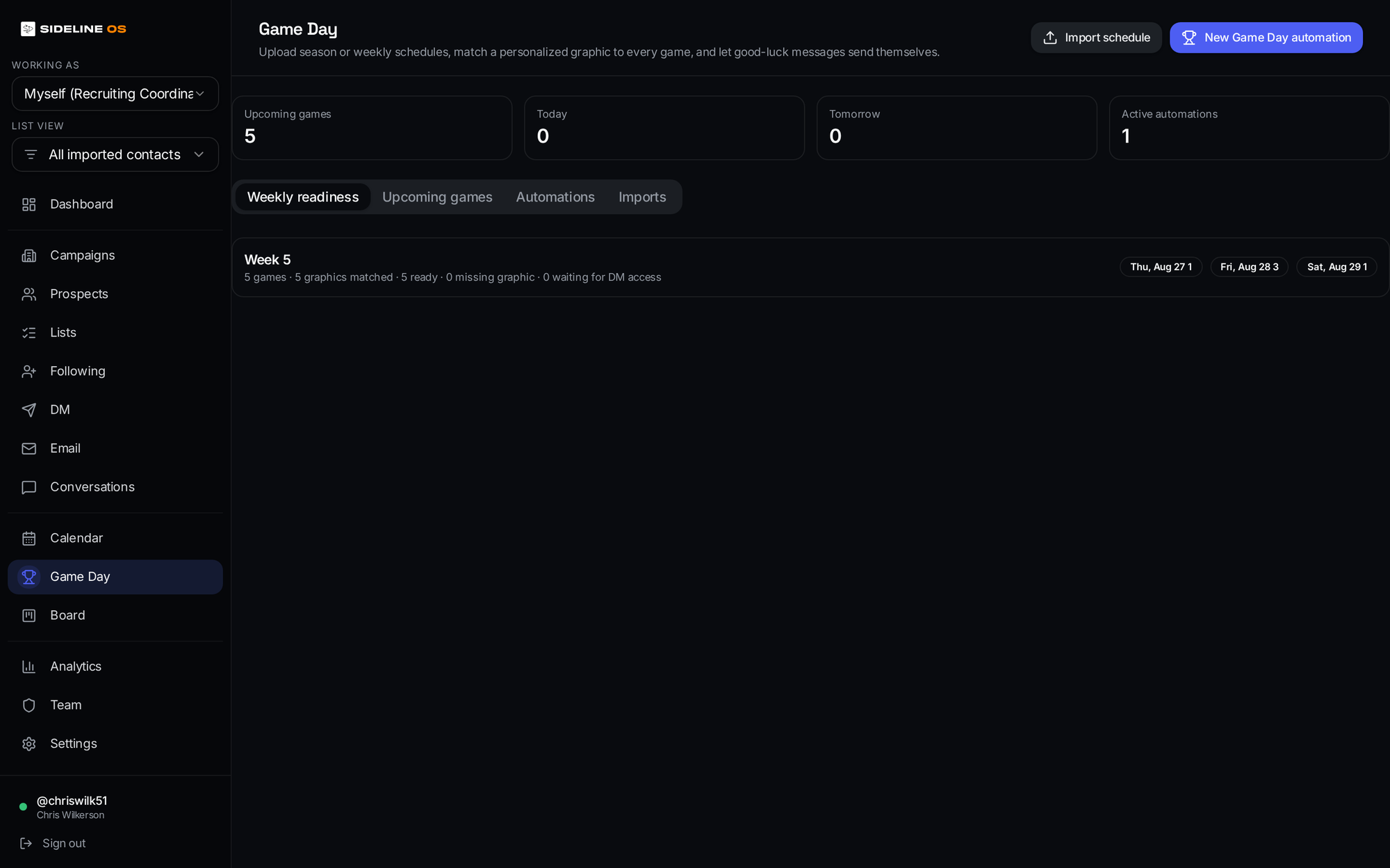
Upload or sync the schedule
A full season of prospect schedules at once.
Match each recruit to their game
Rows map to existing prospects automatically.
Connect the personalized graphic
Sideline AI creative or your uploaded art, per recruit.
Schedule the good-luck message
Sent inside your program's allowed hours.
Sideline OS handles game week
Every game, every recruit, without the scramble.
The graphic and the message stay individual to the recruit.
“Good luck tonight, Marcus.”
Not a blast. A touchpoint the recruit reads as personal — because it is.
Execute for the entire staff
Build the system once. Execute it across your staff.
Your recruiting staff can run the playbook without asking every coach to become a software operator.
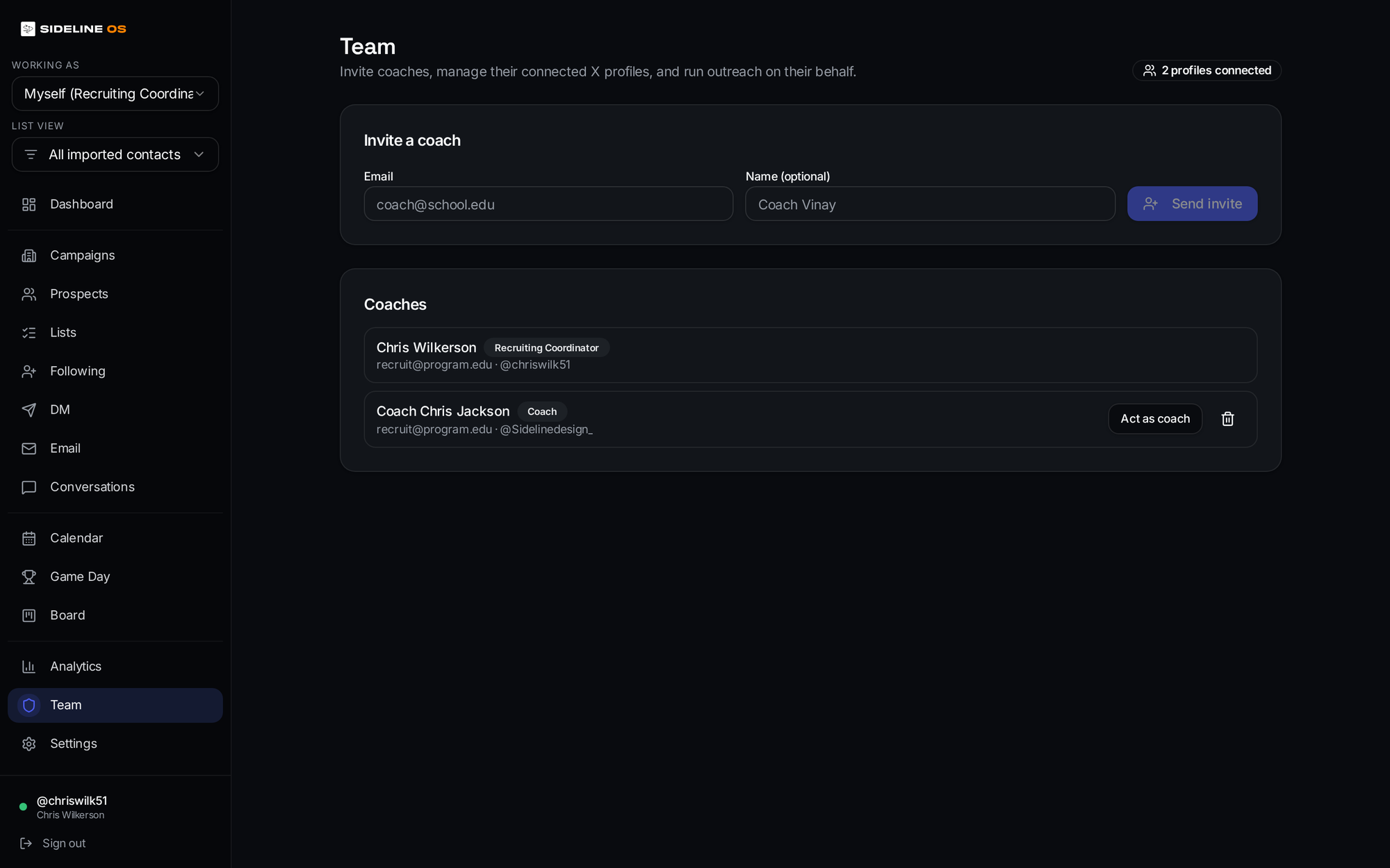
- Admin invites coaches into the organization
- Each coach gets their own Sideline OS login
- Each coach connects their own X identity once
- Admins organize and execute campaigns from the organization view
- Campaigns stay assigned to the correct coach and account
- Coaches see their own outreach and work
- Admins see the complete department execution layer
Coaches open Sideline OS and see what matters to them. Admins see the whole operation.
More consistent execution. More time for real relationships.
A day with Sideline OS
The system works the whole day.
- 8:02 AM
18 prospects moved into today's campaign queue.
- 10:15 AM
A recruit follows Coach Smith back on X.
- 12:30 PM
Sideline OS surfaces the recruit for the next touch.
- 3:00 PM
Game-week graphic and message are ready for another prospect.
- 5:40 PM
A prospect replies — now the coach steps in.
Automation handles the repetition. Coaches own the relationship.
Recruiting relationships should scale.
The busywork shouldn’t.
Give your staff one operating system to execute the recruiting plan — and give your coaches more time to coach, evaluate and build relationships.